
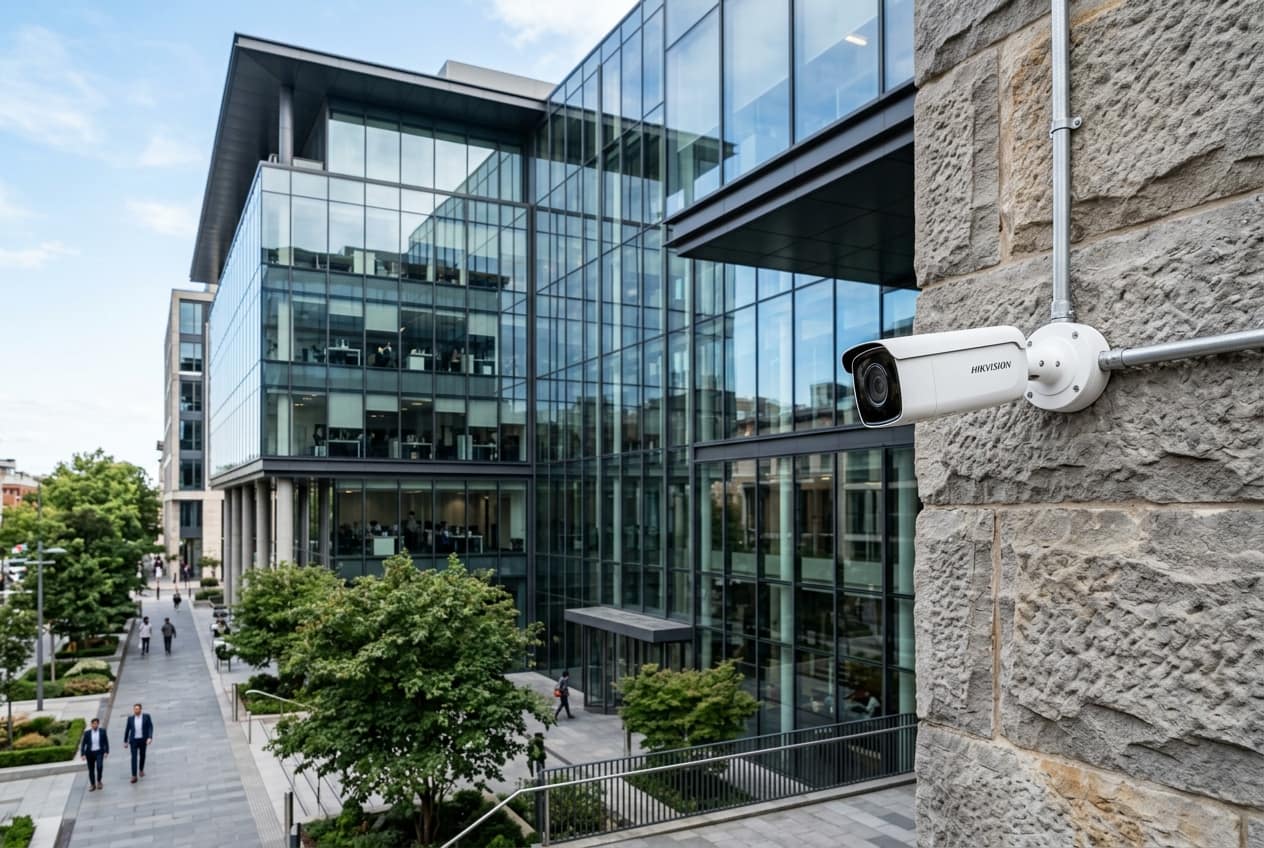
An IP camera, NVR and VMS solution is the video platform behind a surveillance network: networked cameras, recorders or servers that store the footage, and Video Management Software that lets you view, search and administer everything centrally. We select cameras, deploy and license the VMS, build multi-site recording with failover, and integrate access control, fire alarm and analytics.
At a glance
- Typical timeline
- 4 to 10 weeks for a multi-site rollout, depending on site readiness and licence procurement.
- Key standards
- ONVIF Profiles S, T and G, IEC 62676, H.264 and H.265 codecs.
- What you receive
- Platform design, licence schedule, server and storage build, configuration records and admin training.
- Best suited for
- Multi-location enterprises, banks, retail chains and logistics networks.
- Our scope
- Camera selection, VMS deployment, central and edge recording, failover and system integration.
- Site survey
- Network and site readiness review for each location, including bandwidth and power.
IP Camera, NVR & VMS Solutions Overview
An IP camera, NVR and VMS solution is the platform layer of surveillance. Cameras capture images, recorders or servers store them, and the VMS is the control surface where operators view live feeds, search by time and event, manage users and receive alarms. When you run one building, a standalone NVR often does the job. When you run twelve branches, three warehouses and a head office, you need a platform that treats them as one system.
This page is about that platform decision. It differs from basic installation because the questions are different: which VMS architecture fits your network, how licences are counted, where recordings live, what happens when a link or server fails, and how the system talks to access control, fire alarm and analytics. Getting those answers wrong costs more than any camera.
We begin with your operating model. Who needs live view, who needs only playback, who administers, and who audits? A bank may need branch managers to see only their own branch while the central security team sees everything. A logistics operator may need alarm-driven viewing at a control room and recorded evidence at each depot. We turn those rules into roles, servers and storage.
We also design for the long run. Camera counts grow, models change and regulators ask for more retention. A well-built platform lets you add cameras by licence rather than by replacing servers, mixes brands that follow ONVIF, and keeps recordings in open formats you can export. We aim to leave you free to choose, not locked in.
Ideal for: Multi-location enterprises, banks, retail chains and logistics networks.
What Our IP Camera, NVR & VMS Solutions Includes
This scope covers the platform choices that sit between cameras and operators, from device selection to failover and integration.
Enterprise IP, PTZ, thermal and low-light camera selection
We select camera classes per zone: fixed IP for general coverage, PTZ for wide areas, thermal where darkness or smoke defeats visible light, and low-light models for poorly lit areas. You receive a model-neutral specification and a shortlist. Tip: thermal cameras detect presence, not identity, so pair them with visible cameras.
VMS deployment and licensing
We size and install the VMS, enrol devices, build user roles and alarm rules, and prepare a licence schedule for current and planned cameras. You get configuration backups and licence records. Tip: ask who holds the licence keys, and make sure they are registered in your company name.
Multi-site centralised recording and failover storage
We design recording per site, central or edge or hybrid, size storage and links, and build redundant servers and RAID. Failover is tested with simulated faults. Tip: monitor disk health and recording status daily, because silent failures are the most expensive.
Integration with access control, fire alarm and analytics
We link door events, fire alarm inputs and analytic triggers to the VMS so alarms open the right camera and bookmark footage. You get an integration test record. Tip: a fire panel should only send status to the VMS, never depend on it for life safety.
Administration, monitoring and patch management
We set up health dashboards, firmware and patch routines, password policies and audit reviews. You get an operating procedure for your administrators. Tip: apply firmware updates in a pilot group first, since a faulty update across 200 cameras is a long day.
Why multi-site video platforms become hard to manage
Many enterprises grow by accumulation. One branch got a certain brand of NVR in 2018, another site added a different system in 2021, and a third was installed by a contractor who no longer exists. Each recorder has its own software, its own password habits and its own firmware. Security staff must log into six interfaces to find one incident, and nobody can say with confidence which sites are actually recording today.
Licensing is a second trap. Some VMS products charge per camera, others per channel, per server, per feature or per year of support. A quote that looks cheap can double once analytics, mobile access, failover and integrations are added. Ask every vendor for a licence schedule that lists each cost line for your final camera count and your expected growth.
The third problem is single points of failure. A central recording server with no failover means one power supply fault can stop recording across a dozen sites. Meanwhile a design that streams every camera to head office over a leased line may need far more bandwidth than the link can carry. A 40-camera branch at 3 Mbps per stream generates 120 Mbps, which cannot simply be pushed to a central site over a small WAN link.
Finally, there is the quality of integration. Alarms from access control or fire panels often arrive as emails nobody reads, rather than as events that pop a camera view on screen. Without proper integration, the platform records footage but does not help anybody respond.
What You Gain
One view of many sites
Operators see all sites in a single interface, filter by location, and search across cameras by time. Investigations stop depending on who remembers which recorder holds which branch.
Failover that keeps recording
Edge recording, redundant servers and mirrored storage mean a single fault does not blank a site. We test failover during commissioning, not just describe it.
Controlled access
Role-based permissions limit who can view live, play back, export or delete. Audit logs record every action, which supports internal controls and data protection duties.
Predictable licence costs
You receive a licence schedule covering today's cameras and planned growth. Surprises on analytics or mobile access are removed from the commercial discussion.
Mixed brand freedom
By specifying ONVIF-conformant devices and open export formats, we let you add or replace cameras without scrapping the platform.
Event-driven response
Door forced, fire alarm or analytic triggers open the right camera for the operator and bookmark the recording, reducing response time and review effort.
How the Work Is Delivered
A platform project is as much about decisions as about equipment. We take you through them in order, and document each so the next team can understand the logic.
- 1
Requirements and site inventory
We list every site, existing camera, recorder, network link and user group. We capture retention, review workflow, compliance needs and integration targets so the architecture is built on facts.
- 2
Architecture and sizing
We choose between central, distributed and hybrid recording, size servers, storage and bandwidth per site, and define the failover model. A simple example is shown in the design pack with calculations visible.
- 3
Camera and licence selection
We select camera classes per zone, including low-light, PTZ, thermal where justified, and match them to licence tiers. The licence schedule covers cost over three to five years.
- 4
Supply and staging
Servers, storage, switches and cameras are staged and configured at our facility where possible. VMS is installed, devices are enrolled and templates for users, schedules and alarms are built before dispatch.
- 5
Site rollout and migration
We roll out site by site, keeping old recording running until the new system is verified. Cameras are added, named by a consistent scheme and checked for view and bitrate.
- 6
Integration and failover testing
Access control, fire alarm and analytics are linked and tested end to end. We simulate a server failure, a link drop and a disk fault and record how the platform responds.
- 7
Training, documentation and AMC
Administrators and operators are trained, the configuration is backed up, and handover documents are issued. An AMC covers health monitoring, patching and licence renewal reminders.
How the platform is built: recording models, codecs and failover
There are three common recording models. Edge recording stores video on a card or local NVR at each site and sends only events or low-bitrate streams to the centre. Central recording streams everything to a data centre, which simplifies management but needs strong links. Hybrid recording keeps full video at the edge and a lower-bitrate copy centrally. We choose per site based on bandwidth and risk. For example, a branch with 16 cameras at 2 Mbps produces 32 Mbps, usually too heavy for a standard branch link, so edge recording with central search is the sensible choice. H.265 cuts bitrate noticeably compared with H.264 for the same quality, but you must confirm that the VMS and viewing clients support it.
Failover can be built at several layers. Dual power supplies and RAID protect a server against component faults. N+1 recording servers take over cameras if a server fails. Edge storage in the camera fills gaps if a link breaks and syncs once the link returns. We also specify time synchronisation by NTP, monitored disk health and alerting, because a platform that fails silently is worse than one that fails loudly. Where analytics or AI run on the platform, we reserve compute headroom, since they often need more server capacity than recording alone.
ONVIF Profile S, T and G
Profile S covers basic streaming, Profile T adds H.265 and advanced features, and Profile G covers recording and retrieval. We specify these so devices from different makers connect to the VMS.
IEC 62676 series
Provides a common framework for video surveillance systems, including system requirements and interoperability. We use it to write measurable acceptance criteria.
H.264 and H.265 compression
Codec choice affects storage and bandwidth directly. We document which codec each camera uses and confirm VMS and client support before purchase.
RAID and server redundancy rules
RAID 5 or RAID 6 for recording volumes, hot spares, redundant power and monitored health. The level is chosen against how much risk of data loss you accept.
Digital Personal Data Protection Act 2023
Identifiable footage is personal data, so access roles, logging, retention and masking features of the VMS are configured to support your compliance policy. Legal interpretation remains with your counsel.
Network practice: VLANs and QoS
Cameras sit on a separate VLAN with limits on traffic to other networks, and QoS keeps video from starving business applications on shared links.
Worked example: a 14-branch retail and warehouse chain
Imagine a retail chain with twelve stores of 16 cameras each and two warehouses of 40 cameras each, a total of 272 cameras. Each store has a 30 Mbps shared link, the head office has a data centre, and the security head wants central search, 45 days of retention and branch managers limited to their own store.
Central recording of all streams would need roughly 272 cameras at about 2.5 Mbps, around 680 Mbps in total, which the store links cannot carry. The design uses hybrid recording: full video at the store NVR for 45 days, a low-bitrate stream to the data centre for live monitoring, and central search through the VMS. Warehouses get local servers with mirrored storage. A pair of central management servers run in failover mode.
Integration adds door-forced alarms from access control to open the nearest camera on the console. A typical outcome is one login for the security team, branch managers with scoped permissions, and a monthly report showing which cameras are online. The client usually sees fewer blind recorders and faster incident reviews.
- All sites visible and searchable from one console
- Failover tested for server, link and disk faults
- Licence schedule covering planned growth
- Role-based access with an audit trail
This is an illustrative scenario built from typical site conditions. Actual quantities, timelines and results depend on your site survey.
IP Camera, NVR & VMS Solutions Across Four States
We are based in Nashik and deliver across Maharashtra, Gujarat, Madhya Pradesh and Rajasthan. Each state has its own utilities, approvals and site conditions, and these are the points that matter most for this service.
Maharashtra
Multi site customers in Maharashtra, such as hospitals, retail chains and factory groups, usually want one VMS across plants. We plan central recording, local failover storage and role based access so that regional managers see only their own sites. We also set retention per site, so a high risk gate keeps footage longer than a low risk corridor.
Gujarat
Gujarat businesses frequently operate several plants and godowns within one industrial belt. A VMS with site grouping, shared storage and event search across sites saves security teams from walking between consoles, and bandwidth between sites is sized from camera count and retention.
Madhya Pradesh
In Madhya Pradesh, VMS projects often serve government departments and campuses that need long retention and audit friendly exports. We confirm storage per camera, user rights for officers and the process for handing over evidence to authorities before the platform is licensed.
Rajasthan
Rajasthan sites may be far apart with limited links, so edge recording and scheduled upload are common. We design for cameras to keep recording locally during link failure, then sync alarms and clips to the central VMS once the connection returns.
Where This Work Is Most Often Needed
Why Teams Work With Us on This
Platform and field work under one roof
We build the server and software side and also mount the cameras and pull the cable. When a feed is missing, one team diagnoses the whole path.
Integration with other systems we install
Access control, fire alarm, PA and network work are part of our portfolio, so integrations are tested with the systems we know rather than patched together by third parties.
Honest licence discussions
We share the full licence structure and long-term cost, and tell you when a lighter product would serve you better than a full enterprise suite.
Documentation and AMC continuity
Architecture diagrams, configuration backups and licence records are handed over, and our AMC watches system health across Maharashtra sites.
Need AMC for an existing system?
We maintain installations done by other vendors too, after a short audit of what is already on site.
Guides and Projects Related to This Service
- ArticleHow to Calculate CCTV Storage: A Worked Example for a 64 Camera Site
- ArticleHow Many Pixels Do You Need? Choosing CCTV Resolution by Pixel Density
- ArticleWhat to Ask Before You Sign an AMC: A Checklist for Buyers
- ArticleHow to Size a UPS and Battery Bank: A Worked Example for a Small Server Room
- ArticlePoE Power Budget for IP Cameras: How to Check a Switch Before You Buy
- ArticleVoltage Drop in CCTV Cable: Choosing the Right Size for 12 V Cameras
- ArticleHow CCTV Surveillance Improves Business Security & Operational Governance
- ArticleAI Video Analytics & ANPR: Turning CCTV into Actionable Intelligence
- ProjectCommercial Complex, Nashik
Frequently Asked Questions
01What is the difference between an NVR and a VMS?
An NVR is a recorder, often a dedicated box with its own interface, while a VMS is software that manages many cameras, recorders and users, usually across several servers or sites. Small single-site systems work well with an NVR. Larger or multi-site systems benefit from a VMS for central control, role-based access and integration.
02How much does a VMS licence cost?
It varies by vendor and model. Some charge per camera, some per server or feature, and some add yearly support. The cheapest per-camera quote can become costly once analytics, failover and mobile access are added. Ask for a licence schedule for your final camera count and growth plan, covering three to five years.
03Can I mix different camera brands on one VMS?
Usually yes, if the cameras conform to ONVIF and the VMS supports them. Basic streaming works widely, but advanced features such as analytics metadata or camera settings may need native drivers. We test sample cameras against the VMS before bulk purchase, so surprises appear on the bench rather than on site.
04How much bandwidth do IP cameras need?
A 4 MP camera on H.265 at a 15 fps profile typically needs about 2 to 4 Mbps, depending on scene activity and settings. Multiply by the number of streams that cross a link. A 16-camera branch at 2 Mbps needs about 32 Mbps for continuous streaming, so edge recording is often preferable over small links.
05What happens if the central server fails?
That depends on the design. With failover servers, cameras are reassigned automatically and recording continues. With edge recording, cameras or local NVRs keep storing and sync later. Without either, recording stops. We design for failure explicitly and test it during commissioning, so you know the outcome before you depend on it.
06Can you take over a system installed by another vendor?
Often yes. We audit the existing cameras, recorders and network, check ONVIF support and decide what can join the new platform. Some older devices may need encoders or replacement. We report this before quoting, so you know which parts of your earlier investment remain useful.